



What Is the Difference Between Transparent and Milky Inkjet Film?
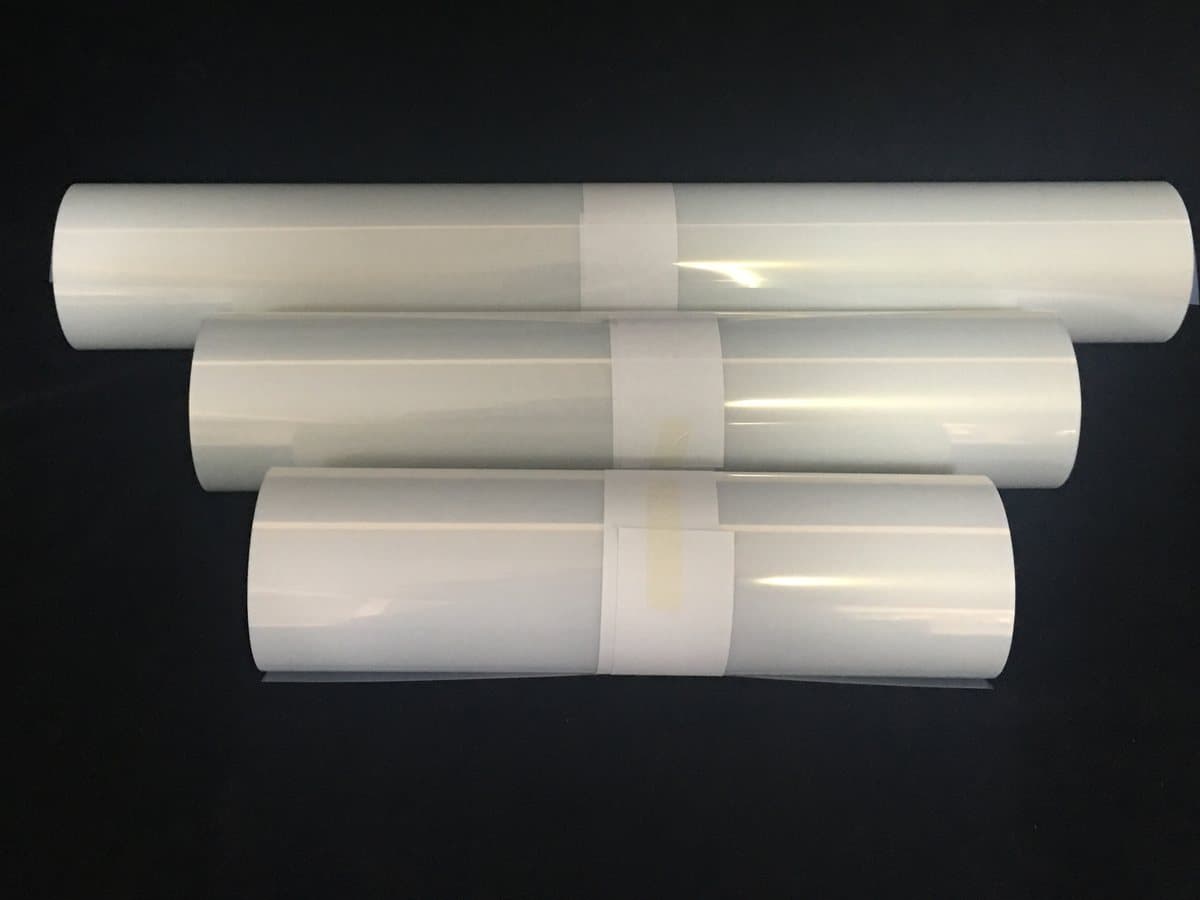
The main difference between transparent and milky inkjet film is the film's optical appearance and surface structure. Transparent film can have a clear/transparent structure that passes light more directly; milky film can have a milky, matte or semi-opaque surface.
Short answer
The main difference between transparent and milky inkjet film is the film's optical appearance and surface structure. Transparent inkjet film has a clear/transparent structure that passes light more directly. Milky inkjet film can have a milky, matte or semi-opaque surface.
The waterproof / non-waterproof classification relates mostly to how the inkjet coating behaves with ink and humidity. Tekden Tekstil's current product labels show these variants:
- Transparent: Non-Waterproof
- Milky / frosted: Waterproof
Being transparent or milky does not automatically make a film waterproof or non-waterproof. The pairing above applies to Tekden's current range; it is not a universal rule for all inkjet films.
What is transparent inkjet film?
Transparent inkjet film is an inkjet-compatible polyester film type that in English product terminology you will usually find under names such as Transparent Inkjet Film, Clear Inkjet Film, Inkjet Transparency Film or Clear Polyester Film.
The film's polyester base is highly transparent, and the printable side has a special coating that accepts inkjet ink. In professional transparent polyester films for screen printing positives, the aim is that printed black areas block UV light while unprinted areas pass as much exposure light as possible.
The inkjet film products Ulano developed for making screen printing positives also use a coating that accepts inkjet ink on 125 micron transparent polyester.
What is milky inkjet film?
“Buzlu” (milky) inkjet film is a trade name widely used in Türkiye. Depending on the product type, foreign sources use terms such as Milky Inkjet Film, Matte Inkjet Film or Translucent Inkjet Film.
“Milky” does not mean the film is completely opaque. The film usually still passes light, but its surface can look more milky, matte or diffuse than transparent film. This appearance can vary with the polyester base, the surface coating and the product's design.
So it should not be assumed that the terms milky, matte and translucent describe exactly the same technical product at every manufacturer.
Key differences between transparent and milky film
| Property | Transparent Inkjet Film | Milky Inkjet Film |
|---|---|---|
| Appearance | Clear / transparent | Milky / frosted / semi-matte |
| Light transmission | More direct | Can be more diffuse |
| Film base | Polyester / PET | Polyester / PET |
| Inkjet coating | Varies by product | Varies by product |
| Use | Film positives, repro and technical applications | Film positives and other product-dependent applications |
| Waterproof property | Depends on the product | Depends on the product |
| In Tekden's current products | Non-Waterproof | Waterproof |
The last row of the table is especially important: the pairing in the Tekden range should not be generalised to the whole industry.
Why is transparent film used in screen printing?
When preparing a screen printing stencil, the design created on the computer is printed onto film. This film is usually called a film positive or screen printing positive film. The film is exposed in contact with the emulsion-coated screen mesh. At this stage the following matter:
- Black image areas block light
- Clear areas pass the exposure light
- Sharp lines
- The image stays dimensionally stable
That is why transparent polyester inkjet films developed for screen printing have a special inkjet coating. SAATI's professional inkjet positive film is also positioned on a specially coated polyester structure, fast drying, dimensional stability and registration accuracy.
Can milky film be used in screen printing?
Yes. A properly made milky / frosted inkjet film can also be used to expose screen printing stencils. What matters is not only whether the film looks transparent or milky. The points to evaluate are:
- How it accepts inkjet ink
- Black area density
- Drying performance
- How it transmits exposure light
- Dimensional stability
- Compatibility with the printer and ink system used
So a general conclusion such as “milky film is better” or “transparent film is more professional” is not correct. The right choice depends on the film system you will use.
What does waterproof inkjet film mean?
The term “waterproof” is very common in the inkjet film market. SAATI, for example, describes its SAATIjet product as a fast-drying, waterproof polyester film positive. The product was developed to make film positives for screen printing exposure.
Technically, though, there is a small distinction. Because most inkjet inks contain a water-based carrier, the film coating has to accept this liquid.
Ulano therefore explains that microporous and nanoporous coatings are often called “waterproof” in the market, but that technically it is more accurate to think of some products as bleed-resistant, meaning more resistant to ink spreading on contact with water. So when the term “waterproof” is used, the manufacturer's definition of the product should be followed.
What does non-waterproof inkjet film mean?
Non-waterproof inkjet film is an inkjet-coated film type that the manufacturer does not classify as waterproof or water-resistant. This does not mean “the product is low quality” or “it cannot be used in screen printing”.
Non-waterproof film can also be used successfully with the right printer, ink, ambient conditions and exposure system. But the film should be handled more carefully, especially in high humidity or where it may come into contact with water.
Are waterproof and milky the same thing?
No. These two terms describe different properties.
- Milky / frosted: describes the visual and optical appearance of the film.
- Waterproof: a product classification describing how the inkjet coating behaves with water, humidity and ink bleeding.
So in theory, transparent waterproof, transparent non-waterproof, milky waterproof and milky non-waterproof products can all be made. Which of them are on the market depends on the manufacturer and product series.
So what about Tekden products?
Two main structures can be seen on Tekden Tekstil's actual product labels.
Transparent inkjet film
The label states Feature: Non-Waterproof and Color: Transparent. Current products come in 0.432 m (about 43 cm), 0.61 m (about 61 cm), 0.914 m (about 91 cm) and 1.118 m (about 110 cm) sizes.
The thickness is 125 microns and the roll length is 30 metres.
Milky inkjet film
The actual product labels state Feature: Waterproof and Color: Milky. Sizes on current labels include 0.432 m, 0.610 m and 1.10 m.
The thickness is stated as 125 microns and the roll length as 30 metres.
What do 43, 61, 91 and 110 cm mean?
In trade use in Türkiye, inkjet film rolls are often described in centimetres. At Tekden the terms 43 cm, 61 cm, 91 cm and 110 cm are commonly used. The actual manufacturer sizes are:
- 43 cm → 0.432 m
- 61 cm → 0.610 / 0.61 m
- 91 cm → 0.914 m
- 110 cm → 1.10 / 1.118 m
These widths are also very common internationally in the screen printing film positive market. Ulano's professional inkjet film rolls, for example, come in widths such as 43 cm, 61 cm, 91 cm, 106.6 cm and 112 cm.
Which is better, transparent or milky film?
There is no single answer to this question. The right question is “Which film suits my printer, ink and exposure system best?” When choosing a film, look at the following criteria together instead of appearance alone.
1. Application
Which application will the film be used for: screen printing, textile printing, graphic screen printing, glass printing, PCB, print / prepress, flexo, pad printing or CAD / technical drawing? Each application expects something different from the film.
2. Printer compatibility
Inkjet film must be compatible with the printer system it will be used in. Professional film manufacturers may define their products by pigment or dye ink compatibility. Ulano's Pigment Inkjet Film is designed for use with both pigment and dye inks.
However, this property should not be assumed automatically for every film.
3. Ink density
For screen printing film positives, it is not enough that the image “looks black”. It needs enough optical density to block the UV light used in exposure. This density is affected together by the film coating, inkjet ink, printer, RIP settings, ink amount and resolution.
In making screen printing positives, RIP software can be used to increase the ink amount and produce images that block UV light better.
4. Line and halftone sharpness
It is important that the film coating stops ink from spreading uncontrollably. Image edges must be sharp, especially for fine lines, small text, halftones, detailed graphics and multi-colour work.
Ulano particularly highlights that its nanoporous coating structure gives image sharpness by controlling ink spread.
5. Dimensional stability
In multi-colour printing where a separate film is used for each colour, the films must line up with each other (registration). So the dimensional stability of the polyester base matters.
SAATI also lists dimensional stability and registration accuracy among the key features of its professional inkjet positive film.
6. Ambient humidity
The inkjet coating can be sensitive to humidity. High humidity:
- Can extend drying time
- Can change how the coating behaves
- Can affect film performance before exposure
Ulano also treats ambient humidity as a technical parameter for optimum film performance. So the film should be kept in the right conditions not only when bought but also during storage and use.
Is transparent film always better because it passes more light?
No. The performance of a film positive does not depend only on how transparent the film looks. What matters is:
- Unprinted areas pass enough light for exposure
- Black areas block enough UV light
- The coating keeps the image sharp
- Good contact between the film and the emulsion
So comparing the professional quality of two films just by looking at them is not correct.
Does milky film affect exposure?
The optical structure of the film can affect how the exposure system behaves. But how much, and the practical result, are specific to the product.
A milky film looking more diffuse does not on its own mean “exposure is worse” or “exposure is better”. Rely on the manufacturer's technical information and a real print test.
Which industries use transparent and milky film?
Although it depends on the film type, inkjet polyester films can be found in these fields:
- Screen printing: preparing stencil positives
- Textile printing (emprime): transferring designs and colour separations to screens
- Graphic printing: signs, labels, plastics, metal and similar screen printing applications
- Glass printing: preparing glass screen printing stencils
- Electronics / PCB: technical stencils and photomechanical masks
- Printing / prepress: producing film positives or negatives in suitable reprographic applications
- Flexo and pad printing: as exposure film in suitable photopolymer plate processes
- CAD and technical drawing: with inkjet polyester film types made specifically for this field
Not every transparent or milky inkjet film made for screen printing is automatically a CAD film.
Transparent and milky inkjet film should not be confused with DTF film
Inkjet film and DTF film can look like similar polyester rolls. But their purposes are completely different.
- Inkjet film: for producing film positives, negatives, repro or technical drawings.
- DTF film: carries the ink and transfer powder in textile transfer printing and moves the design onto the fabric.
Because the coating systems differ, the products should not be used in place of each other.
Tekden Tekstil inkjet film options
In Tekden Tekstil's current inkjet film products:
- Thickness: 125 micron
- Roll length: 30 metres
- Widths: 43 / 61 / 91 / 110 cm class
- Transparent: Non-Waterproof
- Milky / frosted: Waterproof
The film type needed should be chosen considering the printer, ink, printing application, film width and exposure system used.
Conclusion: transparent or milky?
When choosing between transparent and milky inkjet film, looking at the product's appearance is not enough. What matters are factors such as what the film will be used for, which printer it will be printed with, which ink it will work with, how it will be exposed, the image density required, line sharpness and ambient conditions.
Tekden's current range includes transparent → Non-Waterproof and milky → Waterproof variants. But this distinction is not a general technical rule for all inkjet films in the world. The right film must be chosen for the application.
If you are not sure whether to choose transparent or milky, send us the printer you use, your application and the film width you need.
Frequently asked questions
What is transparent inkjet film?
A clear/transparent polyester film with a special coating for printing from inkjet printers. It is widely used for making screen printing film positives.
What is milky inkjet film?
An inkjet-coated polyester film with a milky or semi-matte look. Depending on the product design it can be used in screen printing and other technical applications.
Is milky inkjet film waterproof?
Not every milky film is automatically waterproof. On Tekden's current product labels, the milky variants are stated as waterproof.
Is transparent film non-waterproof?
Not every transparent film has to be non-waterproof. On Tekden's current transparent products the manufacturer's label says Non-Waterproof.
Are waterproof and milky the same?
No. Milky describes the film's optical appearance; waterproof is a product property related to how the coating behaves with water and humidity.
Should you use transparent or milky film in screen printing?
Both can be used with a suitable product design. The choice should be made according to the printer, ink, film coating, exposure system and the manufacturer's recommendation.
How many microns are transparent and milky inkjet films?
Tekden's current transparent and milky film options are 125 microns thick.
How many metres is a roll?
Tekden's current inkjet film rolls are 30 metres long.
Which sizes are available?
The Tekden range commonly includes inkjet film widths in the 43 cm, 61 cm, 91 cm and 110 cm classes.